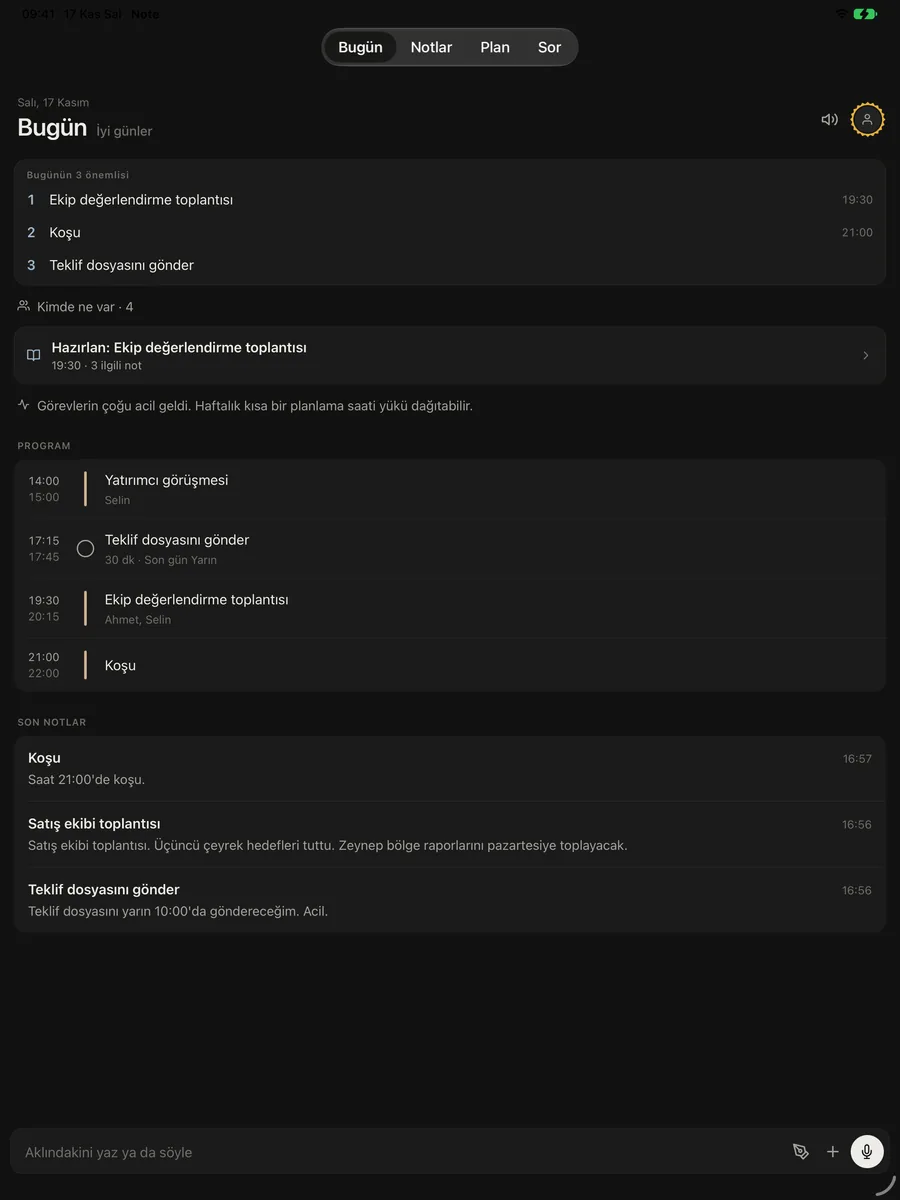
Features
As much as a manager’s day needs. No more.
Notes, planning and follow-up in one app. Everything runs on the phone itself; with Pro, on all your devices.
Fast
Say it, see it written
Tap the mic or say “Hey Siri, add to Note”. Words appear while you talk; the recording stays in the note, and you can remove it with one tap.
- Lock screen and home screen widgets
- Long recordings for lectures and meetings
- Understands times the way you say them: “tomorrow at 2 pm”
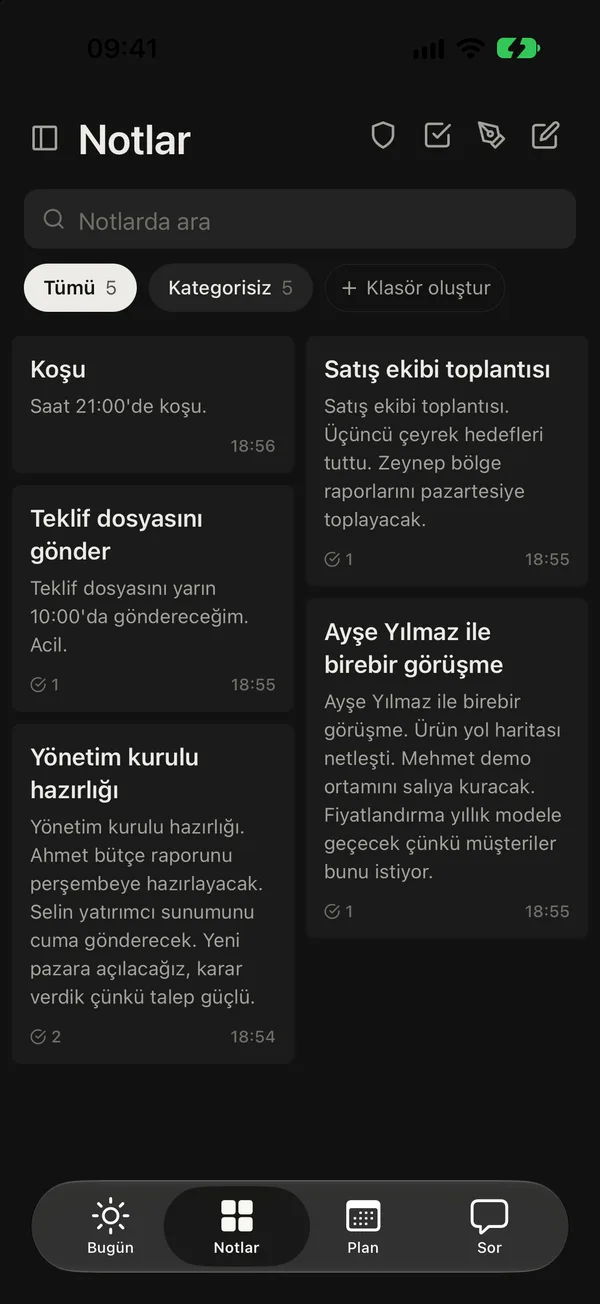
On device
AI on your phone
Titles, tasks, decisions and summaries come from the phone’s own AI. No note ever goes to an AI server.
- Apple Intelligence and Gemini Nano
- Works offline
- Decisions go to the decision log with their reason
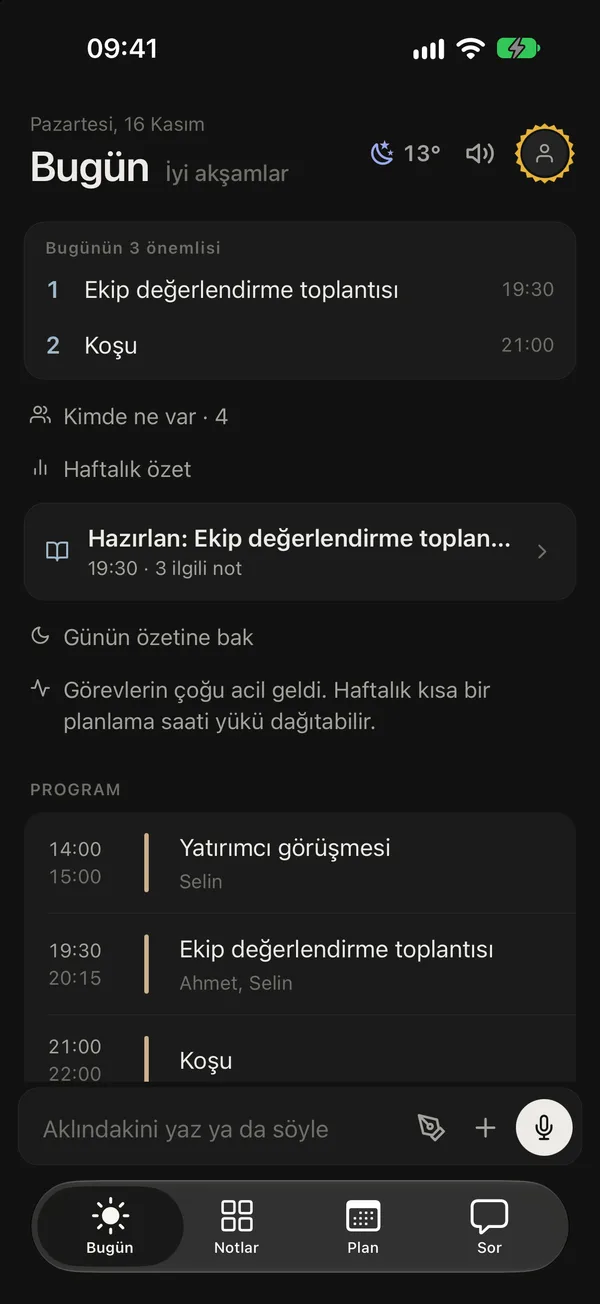
Plan
A smart plan
Meetings and tasks on one timeline. Drag a task to another hour, swipe to delete; free time fills itself.
- Two-way with Google, Outlook and the phone calendar (Pro)
- Place reminders
- Today’s top three
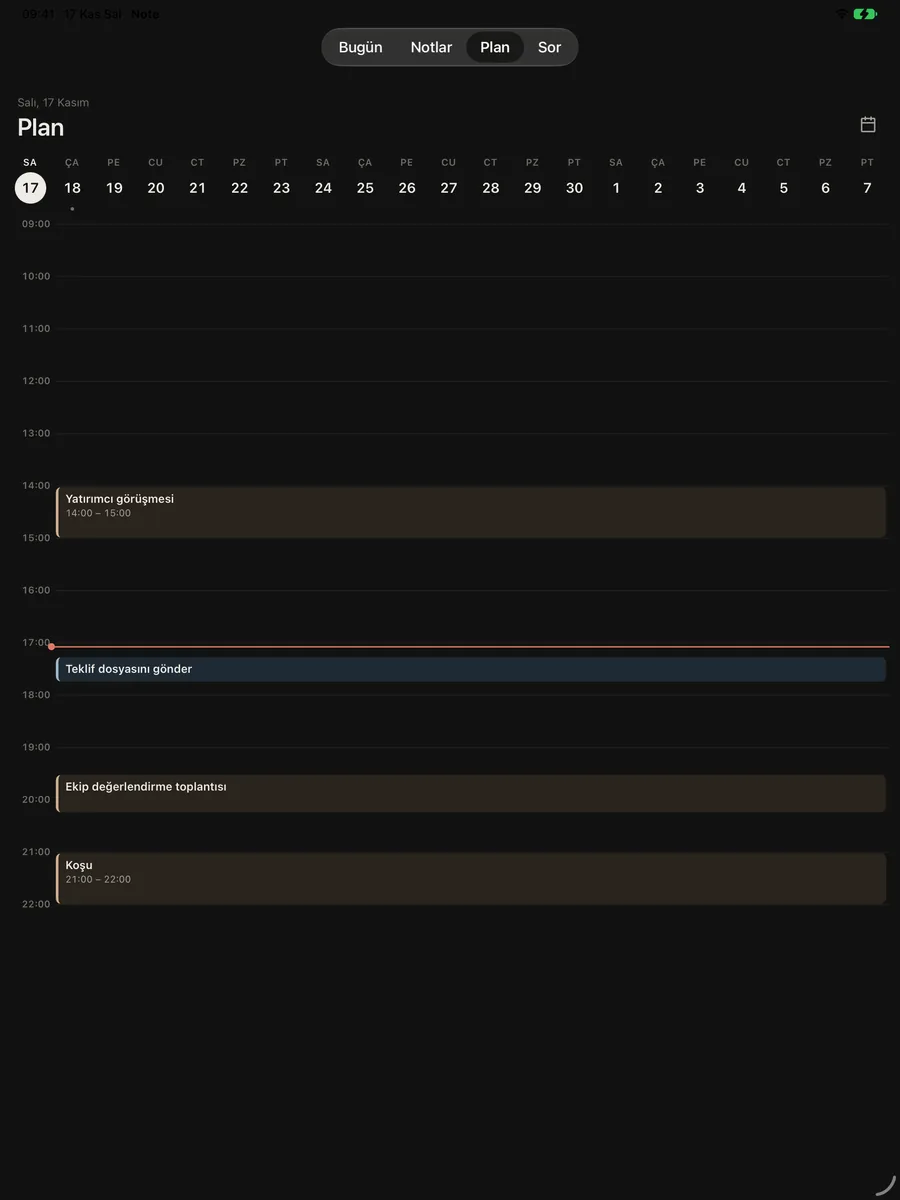
Follow-up
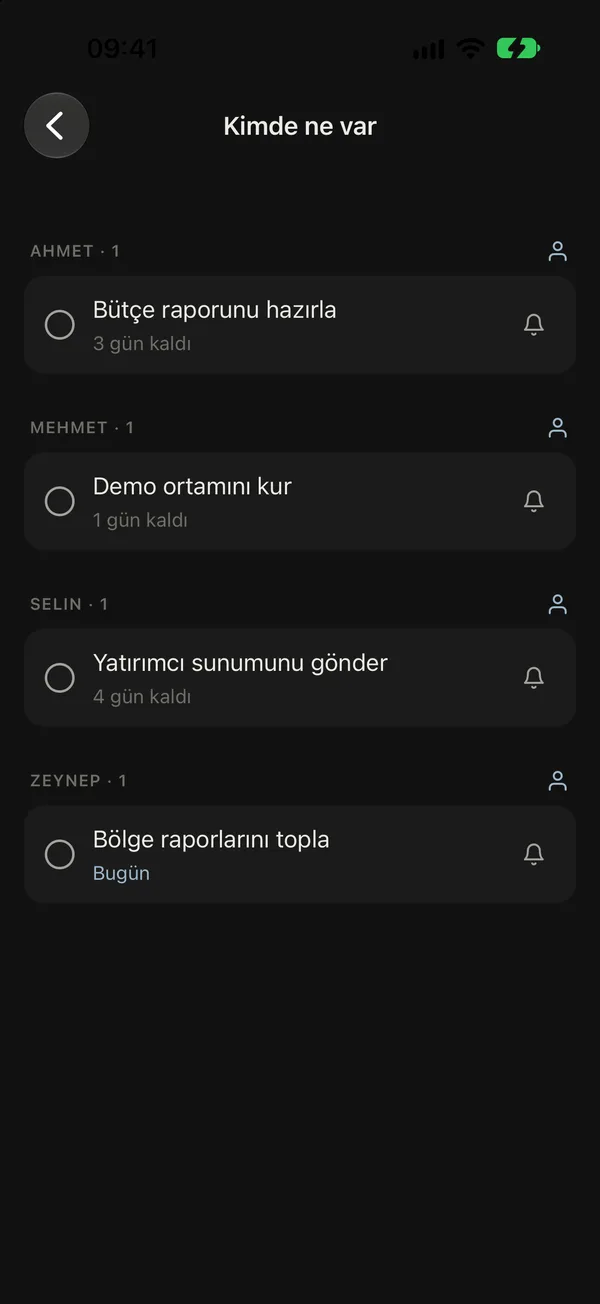
Who has what
Write “Alex will prepare the report by Thursday” and the task is his. Who is holding what and for how long, in one list; Note reminds you when it is time to ask.
- People list from your contacts
- Late items in red
- “Remind me tomorrow” in one tap
PRO In Note Pro
Contact
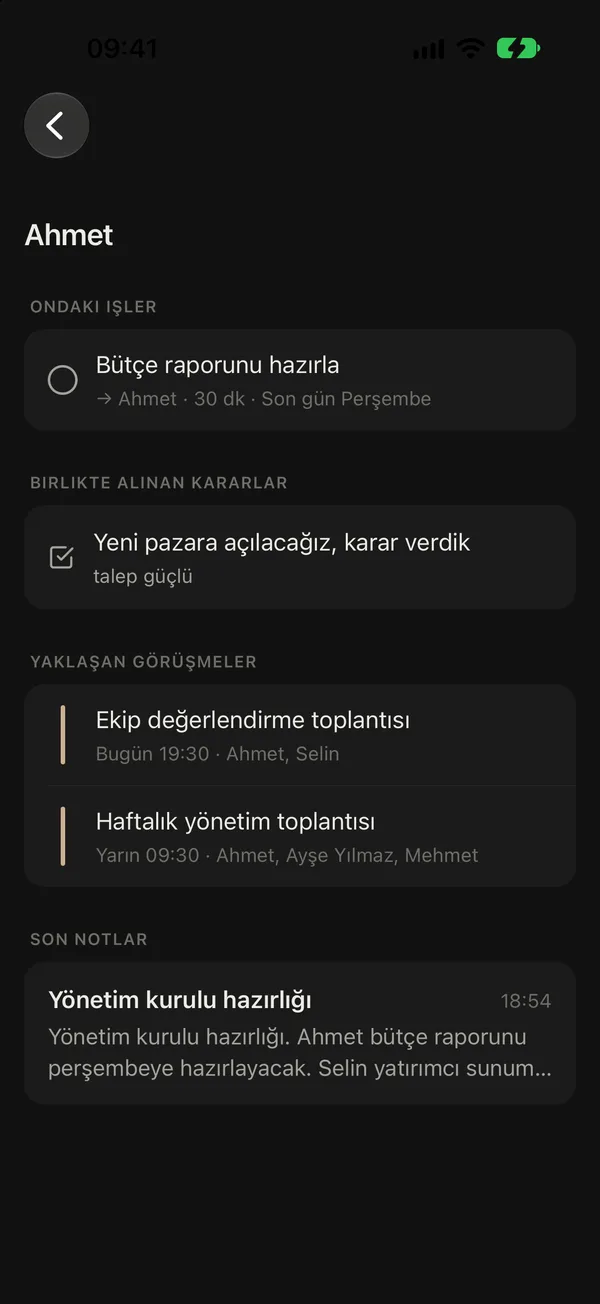
People cards
Open the card before a one-to-one: their tasks, your promises, decisions you made together, meetings coming up. “Ask for status” opens WhatsApp, SMS or email with the message already written.
- Call, message, WhatsApp, email
- You send the message yourself
- People from business cards
PRO In Note Pro
Brief
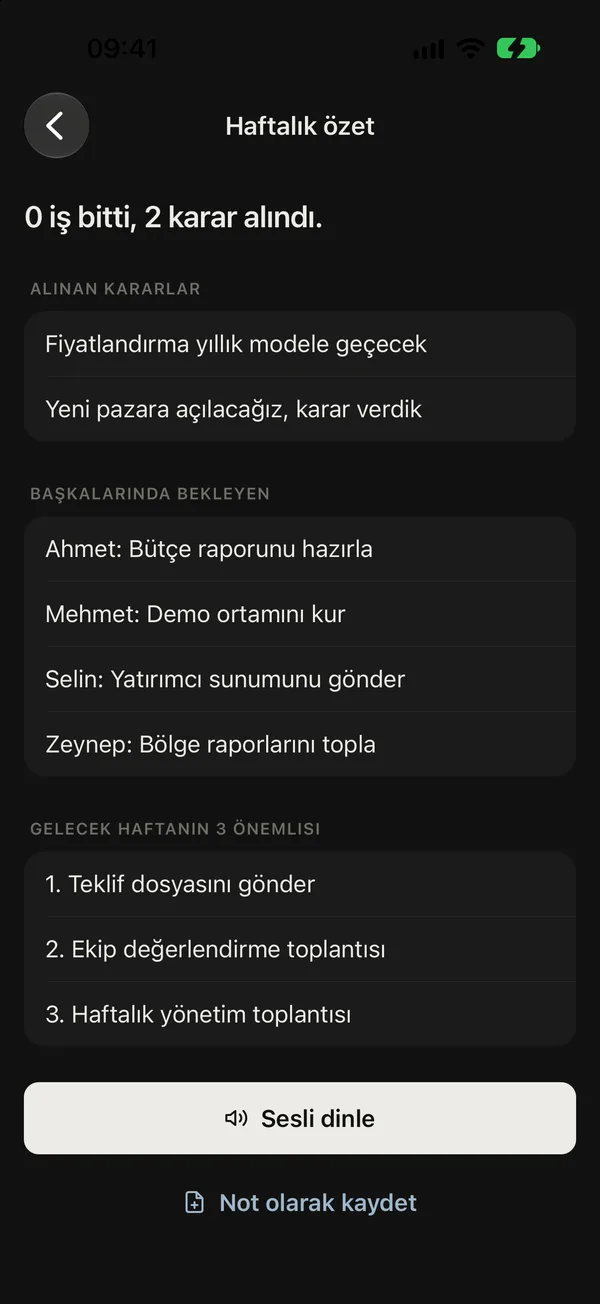
Always briefed
When a meeting ends, Note asks “how did it go?”; you tell it in 60 seconds. Arrive at the office and the day’s brief is waiting. At the end of the week, everything done, slipped and decided on one page.
- Follow-up email draft after meetings
- Brief on arrival
- Weekly review, read aloud too
PRO In Note Pro
Desk
Desk clock
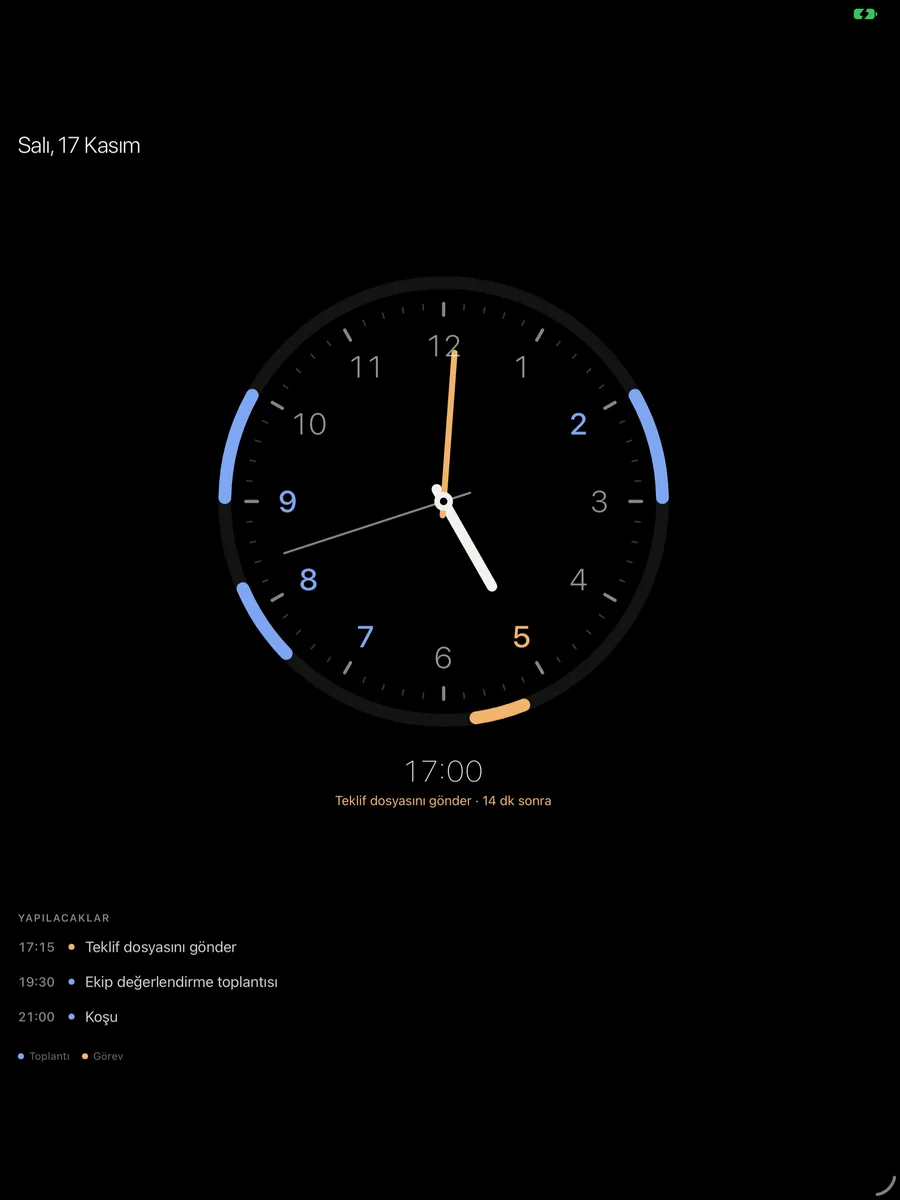
Put the phone or tablet on charge and it becomes a desk clock: the time, the weather and the rest of the day on a coloured ring. It dims itself at night.
- Meetings blue, tasks amber, important red
- “Next · in 15 min”
- As a screen saver on Android
PRO In Note Pro
Privacy
Board mode and hidden notes
Showing your phone in a presentation? One tap hides hidden notes and sensitive folders for two hours. Hidden notes are encrypted on the phone.
- Ends with Face ID
- You choose the sensitive folders
- Not even the server can read them
PRO In Note Pro